Vivek R.
Introduction
In today’s digital age, smartphones have become an essential tool for capturing and sharing our precious moments. And with the advancement of technology, we now have the power to enhance and edit our photos right from the palm of our hands. Android users, in particular, have a wide range of photo editing apps to choose from. In this article, we will explore the 5 best photo editing apps available on Android that can help you take your photography skills to the next level.
1. Adobe Lightroom
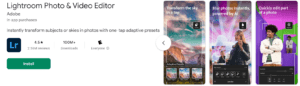
When it comes to photo editing, Adobe Lightroom is a name that needs no introduction. This powerful app offers a wide range of features and tools that allow you to transform your ordinary photos into stunning masterpieces. With its intuitive interface and non-destructive editing capabilities, Lightroom makes it easy for both beginners and professionals to enhance their photos. From basic adjustments like exposure and color correction to advanced features like selective editing and gradient masks, Lightroom has it all. Additionally, it offers a vast collection of presets that can instantly transform your photos with just a single tap.
2. Snapseed
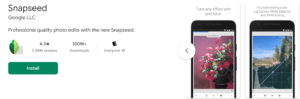
Snapseed, developed by Google, is another popular photo editing app that offers a wide range of editing tools and filters. One of the standout features of Snapseed is its selective editing capability, which allows you to enhance specific areas of your photo without affecting the rest. This app also offers a variety of creative filters and effects, including lens blur, vintage, and drama, to add a unique touch to your photos. With its user-friendly interface and powerful editing tools, Snapseed is a great choice for both beginners and advanced users.
3. VSCO
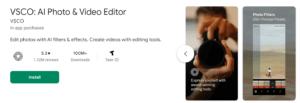
VSCO is more than just a photo editing app; it’s also a social platform for photographers and creatives. With its minimalist and stylish interface, VSCO offers a wide range of editing tools and filters to enhance your photos. What sets VSCO apart is its film-inspired presets, which give your photos a unique and nostalgic look. Additionally, VSCO provides a built-in camera feature that allows you to capture and edit your photos all in one place. Whether you’re a professional photographer or an aspiring Instagram influencer, VSCO is a must-have app for anyone who wants to take their photos to the next level.
4. Pixlr
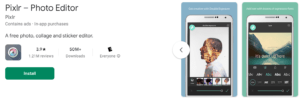
Pixlr is a feature-packed photo editing app that offers a wide range of tools and effects to enhance your photos. With its user-friendly interface and intuitive controls, Pixlr makes it easy for anyone to edit their photos like a pro. From basic adjustments like exposure and color correction to advanced features like layers and blending modes, Pixlr has everything you need to unleash your creativity. It also offers a wide range of filters and overlays to add a unique touch to your photos. Whether you’re a beginner or an advanced user, Pixlr is a versatile app that can cater to your editing needs.
5. Prisma
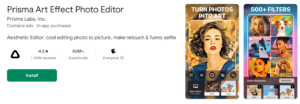
If you’re looking to add an artistic touch to your photos, then Prisma is the app for you. This unique photo editing app uses artificial intelligence to transform your photos into stunning works of art. With its wide range of artistic filters and styles inspired by famous artists like Van Gogh and Picasso, Prisma allows you to create one-of-a-kind masterpieces with just a few taps. Whether you want to turn your photo into a painting or give it a sketch-like effect, Prisma offers a variety of options to unleash your creativity.
Conclusion
With the plethora of photo editing apps available on Android, it can be overwhelming to choose the right one for your needs. However, the 5 apps mentioned above – Adobe Lightroom, Snapseed, VSCO, Pixlr, and Prisma – stand out from the rest with their powerful editing tools, user-friendly interfaces, and unique features. Whether you’re a beginner looking to enhance your photos or a professional photographer wanting to take your skills to the next level, these apps have got you covered. So go ahead, download one or more of these apps, and start transforming your ordinary photos into extraordinary works of art.
FAQs
What are some beginner-friendly tips for improving my photography skills?
Beginners can start by learning about composition, lighting, and basic camera settings. Practice regularly, experiment with different techniques, and study the work of other photographers for inspiration.
How important is understanding composition in photography?
Composition plays a crucial role in photography as it determines how elements are arranged within the frame. Learning about composition techniques such as the rule of thirds, leading lines, and framing can significantly enhance the visual impact of your photographs.
What role does lighting play in photography, and how can I improve my understanding of it?
Lighting is one of the most critical factors in photography as it affects the mood, atmosphere, and overall quality of the image. Practice observing natural and artificial light sources, learn to control exposure settings, and experiment with different lighting conditions to improve your understanding of light in photography.
Are there any free photo editing apps that offer advanced features?
Yes, several free photo editing apps for Android offer advanced features without requiring a subscription or one-time purchase. Snapseed and Adobe Photoshop Express are examples of free apps with powerful editing capabilities.
Do photo editing apps for Android support RAW image editing?
Yes, some photo editing apps, such as Adobe Lightroom and Snapseed, support RAW image editing on Android devices. This allows photographers to retain maximum image quality and flexibility during the editing process.
Are there any photo editing apps for Android specifically designed for social media sharing?
Yes, some photo editing apps, such as VSCO and PicsArt, cater to users who want to enhance and share their photos on social media platforms like Instagram, Facebook, and Twitter. These apps often include features for creating collages, adding text overlays, or resizing images for specific social media formats.
Are there any photo editing apps for Android that offer batch editing capabilities?
Yes, some photo editing apps allow users to apply edits to multiple photos simultaneously, saving time and effort when editing large batches of images. Adobe Lightroom is one example of an app that offers batch editing features.
How can I choose the best photo editing app for my specific needs and preferences?
When selecting a photo editing app for your Android device, consider factors such as ease of use, available features, compatibility with your workflow, and user reviews. Try out a few different apps to see which one best suits your editing style and preferences.