


Introduction
Having a reliable weather app on your Android device is essential for staying prepared and informed about the weather conditions. Whether you’re planning a trip, heading out for a jog, or simply want to know if you need to carry an umbrella, a good weather app can provide you with accurate and up-to-date information. In this blog post, we will explore the five best weather apps for Android that you can rely on.
1. AccuWeather

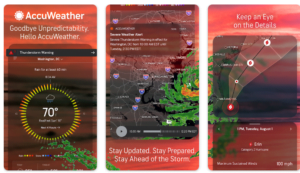
AccuWeather is one of the most popular weather apps available for Android. It offers a wide range of features, including hourly and daily forecasts, severe weather alerts, radar maps, and a widget for your home screen. The app provides accurate weather information for locations worldwide and allows you to customize the app’s interface to suit your preferences.
2. The Weather Channel
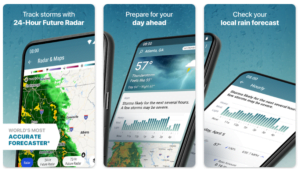
The Weather Channel app is another excellent choice for Android users. It provides detailed weather forecasts, including hourly, 10-day, and weekend forecasts. The app also offers interactive radar maps, severe weather alerts, and a variety of customizable widgets. Additionally, The Weather Channel app provides news and videos related to weather events, keeping you informed about the latest developments.
3. Weather Underground

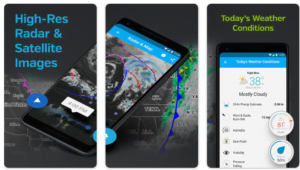
Weather Underground is a crowd-sourced weather app that collects data from thousands of weather stations around the world. This app provides hyper-local weather forecasts, which means you get accurate and precise information for your exact location. It also offers interactive radar maps, severe weather alerts, and a variety of widgets to choose from. Weather Underground is known for its user-friendly interface and its community-driven approach to weather reporting.
4. Dark Sky

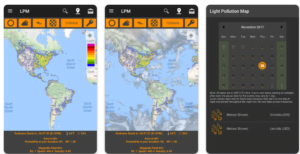
Dark Sky is a unique weather app that focuses on hyper-local, minute-by-minute weather forecasts. It uses your device’s GPS to provide you with up-to-the-minute weather information for your exact location. Dark Sky also offers detailed forecasts for the next hour, day, and week, as well as interactive radar maps and severe weather alerts. The app’s sleek and minimalist design makes it a favorite among Android users.
5. Google Weather

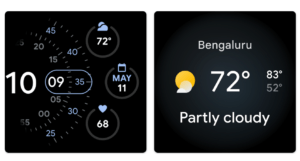
Google Weather, also known as Google Now or Google Assistant weather, is a built-in weather app that comes pre-installed on most Android devices. It provides basic weather information, including current conditions, hourly forecasts, and a 10-day forecast. While it may not offer as many features as the other apps on this list, Google Weather is reliable and convenient, as it is integrated with other Google services and can be accessed with a simple voice command.
Conclusion
When it comes to choosing a weather app for your Android device, it’s important to consider your specific needs and preferences. Whether you prefer a feature-rich app like AccuWeather or a minimalist app like Dark Sky, there are plenty of options available to suit your requirements. The five apps mentioned in this blog post are among the best weather apps for Android, providing accurate and up-to-date weather information to help you stay prepared and informed.
FAQs
What are the best weather apps available for Android devices?
There are several excellent weather apps for Android, including AccuWeather, The Weather Channel, Weather Underground, Dark Sky, and Google Weather.
What features should I look for in a weather app for Android?
Key features to consider include accurate forecasts, radar maps, severe weather alerts, customization options, widget support, and integration with other apps or services.
Which weather app provides the most accurate forecasts?
Accurate forecasts can vary depending on location and other factors. However, AccuWeather, The Weather Channel, and Dark Sky are known for their reliability and accuracy.
Are there any free weather apps for Android that are worth using?
Yes, many free weather apps offer valuable features and accurate forecasts. Some popular free options include Google Weather, Weather Underground, and the basic versions of AccuWeather and The Weather Channel.
Do weather apps consume a lot of battery on Android devices?
Some weather apps may consume more battery than others, especially if they constantly refresh in the background or use location services extensively. It’s a good idea to check battery usage in your device settings and adjust app settings accordingly.
Can I receive severe weather alerts on Android weather apps?
Yes, most weather apps for Android offer severe weather alerts for events like thunderstorms, hurricanes, tornadoes, and other potentially dangerous conditions. Make sure to enable notifications for these alerts in the app settings.
Are there weather apps specifically designed for outdoor activities?
Yes, some weather apps cater to outdoor enthusiasts by providing specialized forecasts for activities like hiking, camping, skiing, or boating. Examples include Weather Underground’s “Wunderground” feature and apps like Windy and MyRadar.
Can I customize the layout and appearance of weather apps on Android?
Many weather apps for Android offer customization options, allowing users to personalize the layout, themes, and widgets according to their preferences. Check the settings menu of your chosen app for customization options.
Do weather apps for Android support widgets?
Yes, most weather apps offer widget support, allowing users to view current weather conditions and forecasts directly from their device’s home screen. Widget sizes and customization options may vary between apps.
Can I integrate weather data from Android weather apps with other apps or services?
Some weather apps offer integration with third-party services like calendar apps, smart home devices, or navigation apps. Check the app’s settings or documentation for information on supported integrations.
Are there any weather apps for Android that work offline?
While most weather apps require an internet connection to provide up-to-date forecasts and radar maps, some offer limited offline functionality by caching data or allowing users to download forecast information for specific locations.
How can I choose the best weather app for my specific needs and preferences?
Consider factors such as accuracy, features, customization options, and user reviews when selecting a weather app for your Android device. Try out a few different apps to see which one best suits your needs and preferences.